API key security
API keys are team-scoped credentials for the PushFeedback REST API. This page covers how keys work, how to grant the least privilege an integration needs, and how to handle keys safely.
How keys work
- Team admins create and revoke keys under Team > API keys in the PushFeedback dashboard. Creating a key there requires the Unlimited plan. Enter a name, choose the scopes and optional project restriction, then click Create API key. Existing keys have a Revoke button.
- The full key is shown exactly once, at creation time. Store it immediately; it cannot be retrieved again.
- A key can be revoked at any time. Revocation takes effect immediately.
- A key can optionally be restricted to a single project. A restricted key returns
404 Not Foundfor every other project, so it cannot be used to probe which project identifiers exist. - Keys created before a downgrade keep working, and official PushFeedback integrations such as the WordPress plugin provision their own key when you connect them, on any plan.
Scoped permissions
Every key holds one or more scopes, chosen with checkboxes when the key is created:
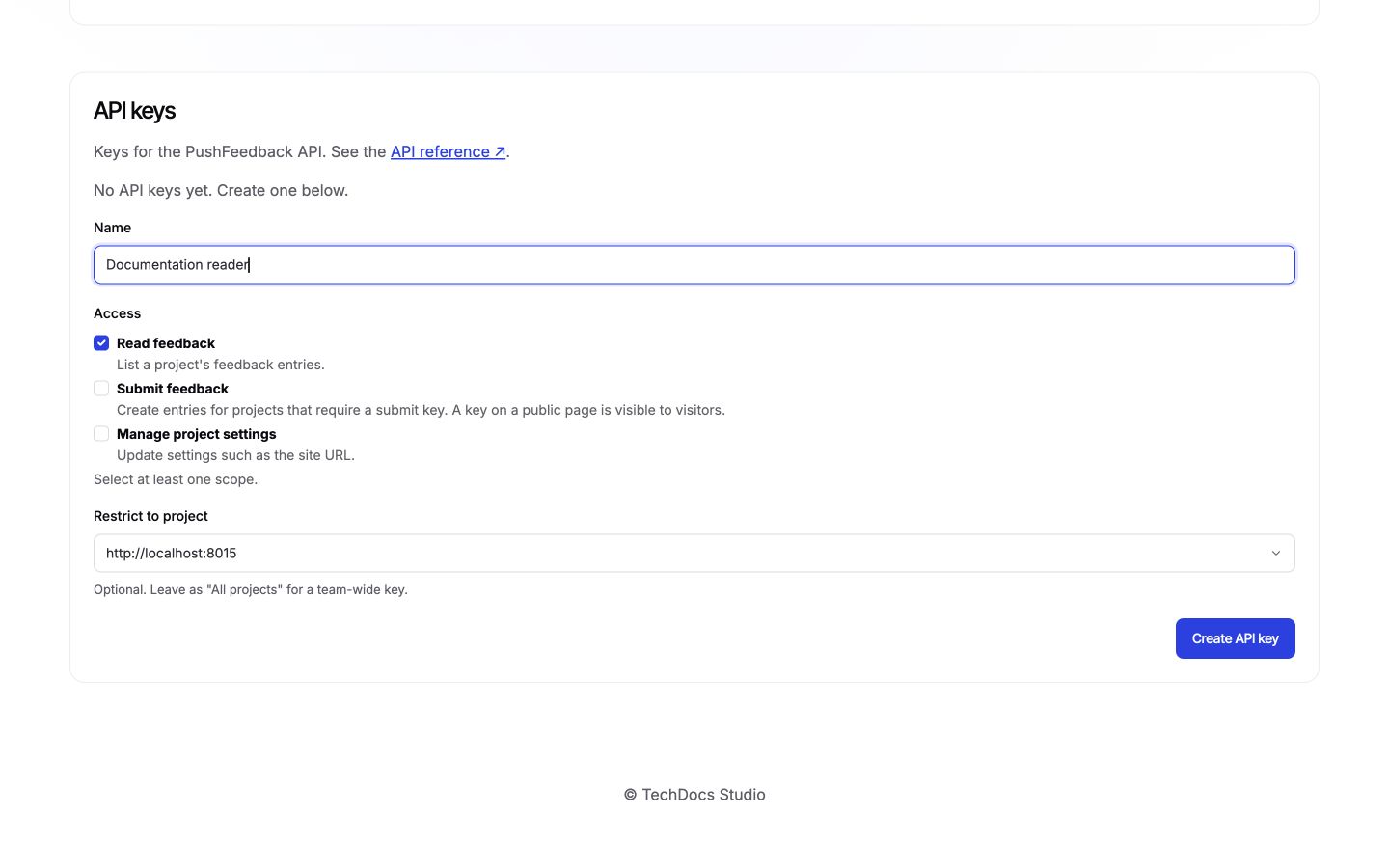
| Scope | Allows |
|---|---|
feedback:read | List a project's feedback |
feedback:submit | Submit feedback to projects that require a submit key |
project:manage | Update project settings, such as the site URL |
Grant only what the integration needs:
- A reporting script that exports feedback needs
feedback:readonly. - A deployment pipeline that keeps the site URL in sync needs
project:manageonly. feedback:submitexists for protected submissions; see the next section.
A request with a key that lacks the required scope returns 403 Forbidden with a message naming the missing scope, so a misconfigured integration fails loudly instead of silently over-reaching.
Requiring a key for submissions
By default, anyone on your site can submit feedback; the widget needs no credentials. Under project Settings > Security, check Require an API key for submissions and click Save to require a key with the feedback:submit scope covering the project. Requests without a key get 401 Unauthorized, and requests with a key that lacks the scope get 403 Forbidden.
This suits internal sites and backend integrations: everyone who can see the page may know the key, but outsiders cannot submit.
Pass the key to the widget with the api-key attribute:
<feedback-button project="YOUR_PROJECT_ID" api-key="YOUR_KEY">Feedback</feedback-button>
A key placed in a web page is readable by everyone who can view that page. If you embed a key for protected submissions, use a key with only the feedback:submit scope, restricted to that project. It then gates who can submit, but a determined reader of your page can still extract it; it must never be a key that can also read feedback or change settings.
Handling keys safely
- Store keys like passwords. Use environment variables or a secrets manager. Never hardcode keys in application code or commit them to version control.
- Rotate by revoke and create. Create a replacement key, switch your integration over, then revoke the old key. Set a schedule that fits your compliance needs.
- HTTPS only. Keys are transmitted in the
Authorization: Api-Key <key>header, and the API is served exclusively over HTTPS, so keys are always encrypted in transit. - Leaked keys cannot enumerate. A key only works for the projects it covers: requests outside its team or project restriction return
404 Not Found, and requests beyond its scopes return403 Forbidden. A leaked key exposes at most what it was granted.
For the full authentication contract, including error semantics per endpoint, see the API reference authentication section.