Asana integration
Create an Asana task from feedback in the project you choose.
info
Asana is available on the Professional and Unlimited plans.
Before you start
- Create an Asana personal access token by following Asana's personal access token guide.
- To find the Workspace GID, sign in to Asana and open the workspaces endpoint. Copy the
gidbeside the workspace you want. - To find the Project GID, use Asana's Get projects from a workspace endpoint with that workspace GID. Copy the
gidbeside the destination project. - Keep the token safe. PushFeedback encrypts it and never displays it again.
Configure Asana
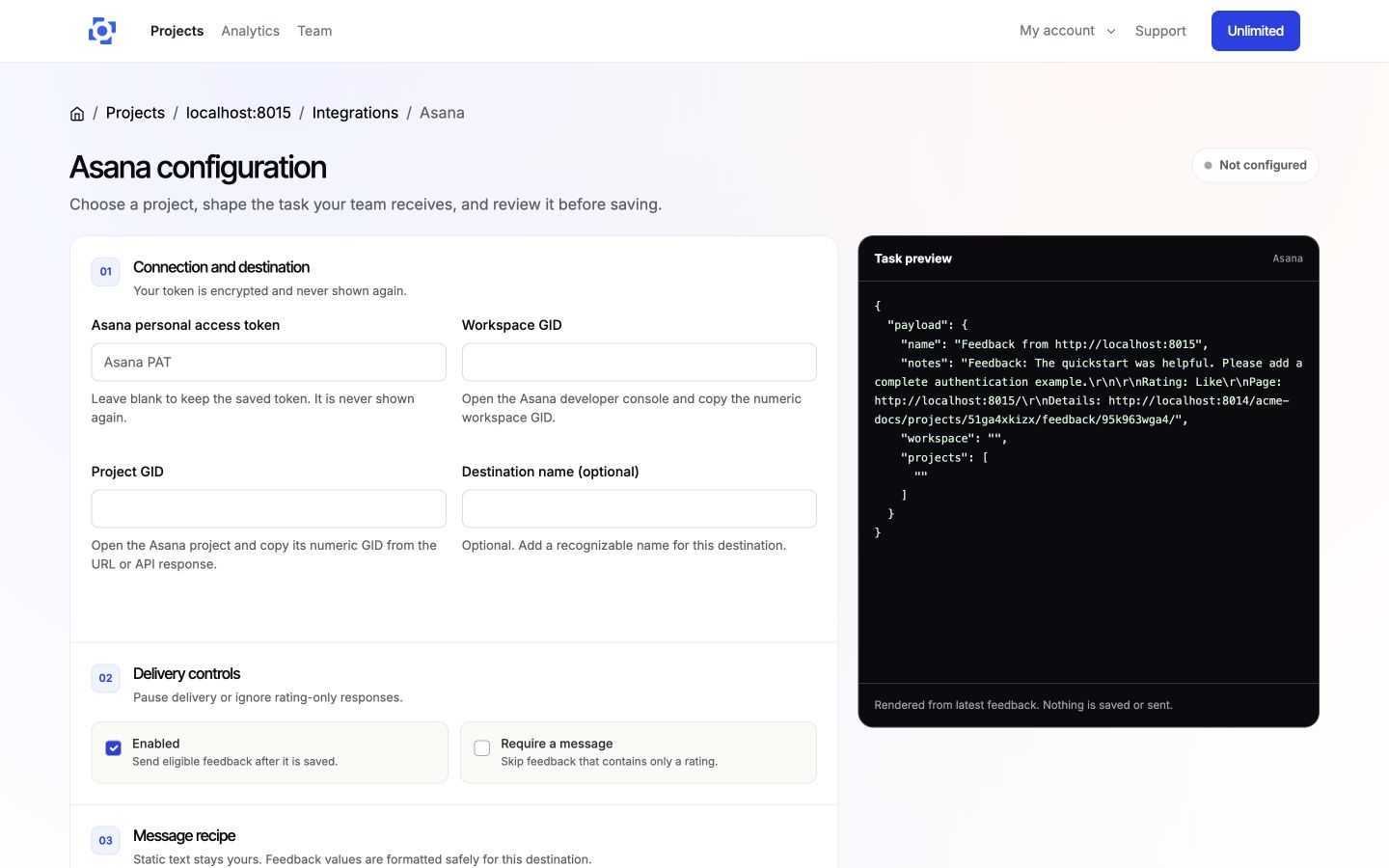
- In the PushFeedback dashboard, open your project, then Settings > Integrations > Asana.
- In 01 Connection and destination, enter the token, workspace GID, and project GID. Add a destination name if it helps your team identify the project.
- In 02 Delivery controls, keep Enabled selected or pause delivery without losing the configuration. Select Require a message to skip rating-only feedback.
- In 03 Message recipe, set the task title and notes templates. You can insert feedback and project variables such as
{{ feedback.message }}and{{ feedback.detail_url }}. - Add optional delivery rules under Advanced rules and custom fields.
- On wider screens, review the live task preview while you edit. It does not contact Asana.
- Save the integration, then select Test connection to validate the saved token and destination. The test does not create a task.
Delivery behavior
When the integration is enabled, feedback matching your delivery controls and rules creates a task in the configured Asana project.
Remove Asana
Open the Asana integration settings and select Remove, then confirm Remove integration. New feedback will no longer create Asana tasks.