monday.com integration
Create a monday.com item from feedback in the board and group you choose.
info
monday.com is available on the Professional and Unlimited plans.
Before you start
- Create an API token by following monday.com's authentication guide. The token must have access to the target board.
- Copy the board ID from the board URL:
monday.com/boards/<board_id>. - Use the monday.com API to query
boards(ids: BOARD_ID) { groups { id title } }, then copy theidfor the destination group. See the groups API reference. - If you want to include a longer message, enable Developer Mode and copy the ID of a compatible long-text column.
Configure monday.com
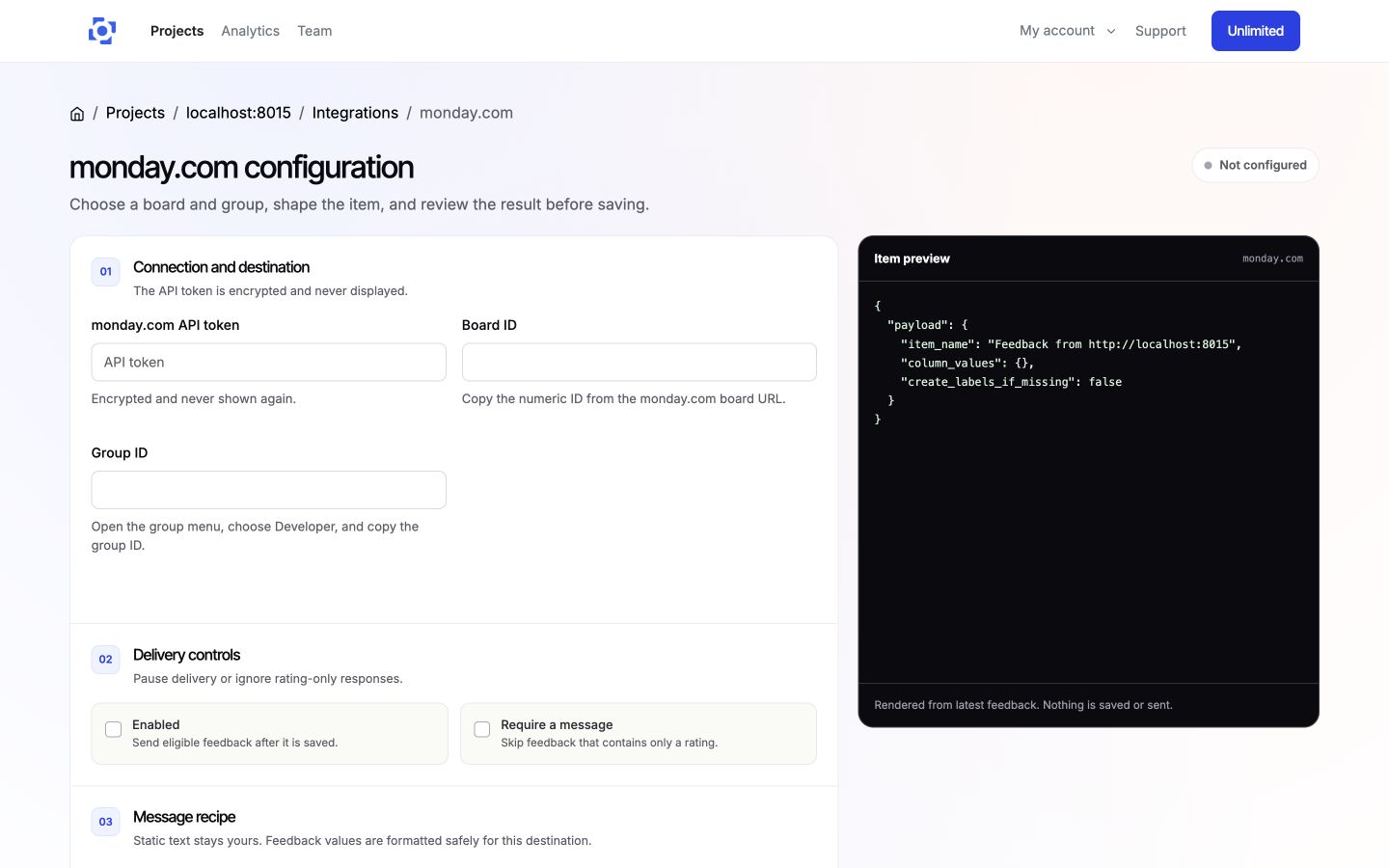
- In PushFeedback, open your project, then Settings > Integrations > monday.com.
- In 01 Connection and destination, enter the API token, board ID, and group ID. Helper text below each field explains where to copy the IDs.
- In 02 Delivery controls, keep Enabled selected or pause delivery without losing the configuration. Select Require a message to skip rating-only feedback.
- In 03 Message recipe, set the item name and optional body template. Use the variable buttons to insert feedback values.
- Under Advanced rules and custom fields, add the body column ID, column mappings, delivery rules, and status-label behavior when needed.
- On wider screens, review the live item preview while you edit. It does not save settings or contact monday.com.
- Save the integration, then select Test connection to verify the board and group. It does not create an item.
Delivery behavior
When the integration is enabled, feedback matching your delivery controls and rules creates an item in the configured monday.com board and group.
Remove monday.com
Open the monday.com integration settings and select Remove, then confirm Remove integration.