Trello integration
Create a Trello card from feedback in the list you choose.
info
Trello is available on the Professional and Unlimited plans.
Before you start
- Create an API key and token by following Trello's API authorization guide. Authorize access to the destination board.
- Use Trello's
GET /1/boards/{board_id}/listsendpoint and copy theidfor the destination list. See Trello's nested resources guide. - If you add optional labels or members, retrieve them from the board with the Trello Boards API and copy the matching IDs.
- Credentials are encrypted at rest and are never displayed again.
Configure Trello
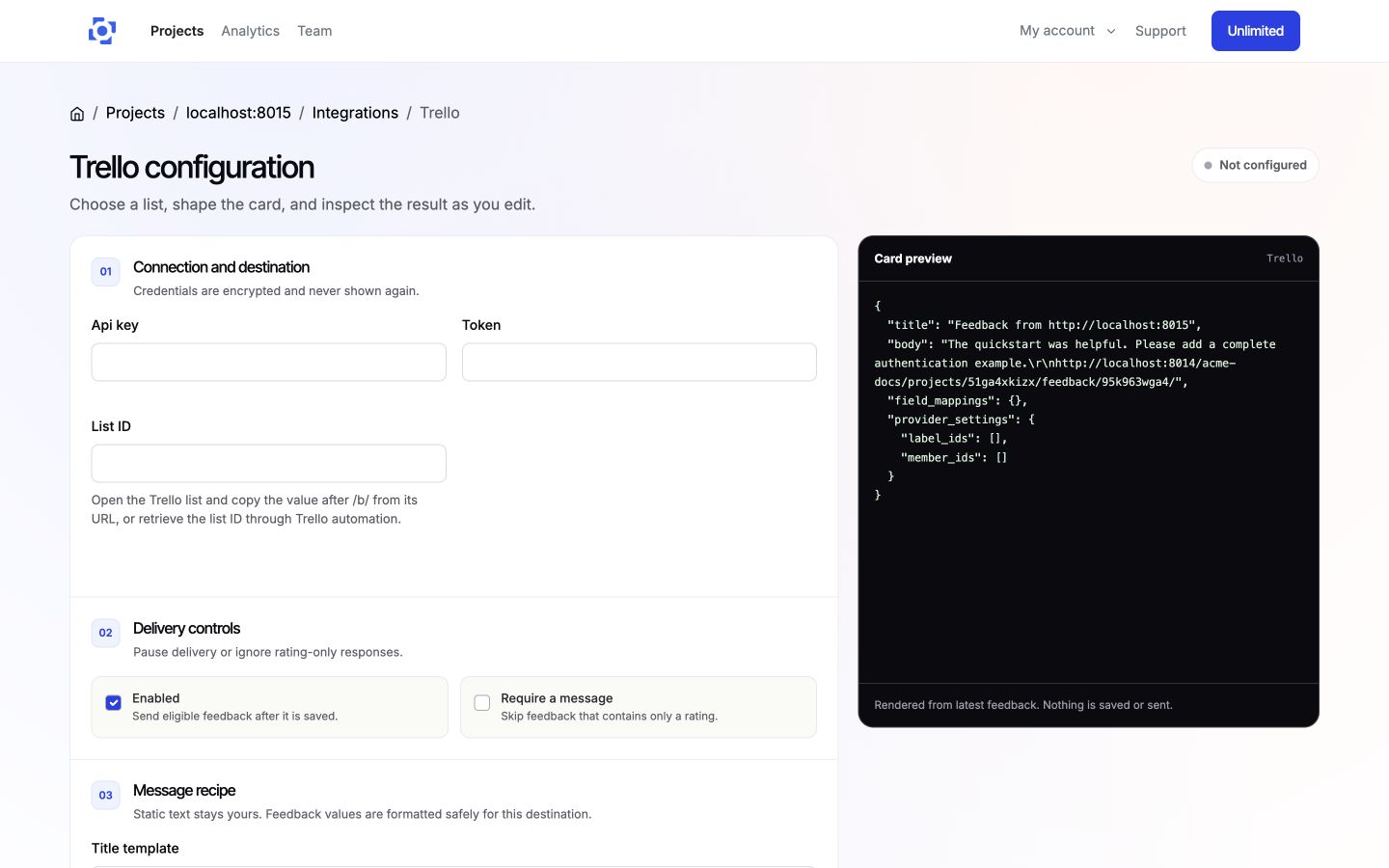
- In the PushFeedback dashboard, open your project, then Settings > Integrations > Trello.
- In 01 Connection and destination, enter the API key, token, and destination list ID.
- In 02 Delivery controls, keep Enabled selected or pause delivery without losing the configuration. Select Require a message to skip rating-only feedback.
- In 03 Message recipe, define the card title and body with supported feedback and project variables.
- Under Advanced rules and custom fields, add optional label IDs, member IDs, delivery rules, and field mappings.
- On wider screens, review the live card preview while you edit. It does not create a card.
- Save the integration, then select Test connection. It reads boards and lists only. It never creates a card.
Delivery behavior
When the integration is enabled, feedback matching your delivery controls and rules creates a card in the configured Trello list.
Remove Trello
Open the Trello integration settings and select Remove, then confirm Remove integration.